In crisis?Call or text 988Text Line:HOME → 741741Crisis resources
How to Opt In
Northwest Psychiatry LLC offers SMS notifications for appointment reminders, confirmations, and secure portal login codes. Choose the path that works best for you — all of them are documented below.
What you will receive
After opting in, you may receive short text messages from Northwest Psychiatry LLC. Message types include:
- ›One-time sign-in codes for the secure client portal
- ›Appointment reminders (24 hours, morning-of, and 2 hours before sessions)
- ›Appointment confirmations when sessions are booked, rescheduled, or cancelled
- ›Administrative alerts (e.g., refill-ready notices, form requests)
No clinical details, diagnoses, or Protected Health Information are sent by SMS. Sensitive information is always shared through the HIPAA-compliant client portal.
Three ways to opt in
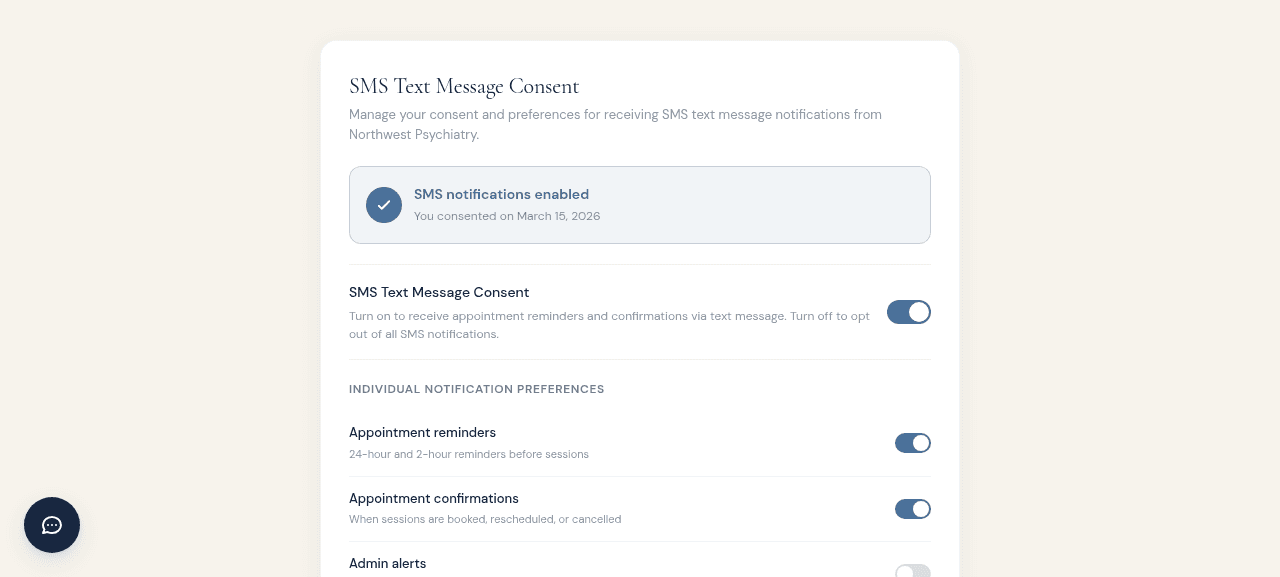
Portal Settings (existing patients)
Sign in to the client portal, open Settings, and select the Privacy section. Toggle SMS Text Message Consent on. You can also choose which individual message types you want (appointment reminders, confirmations, and admin alerts).
This is the recommended method for current patients because you can review and change preferences anytime.
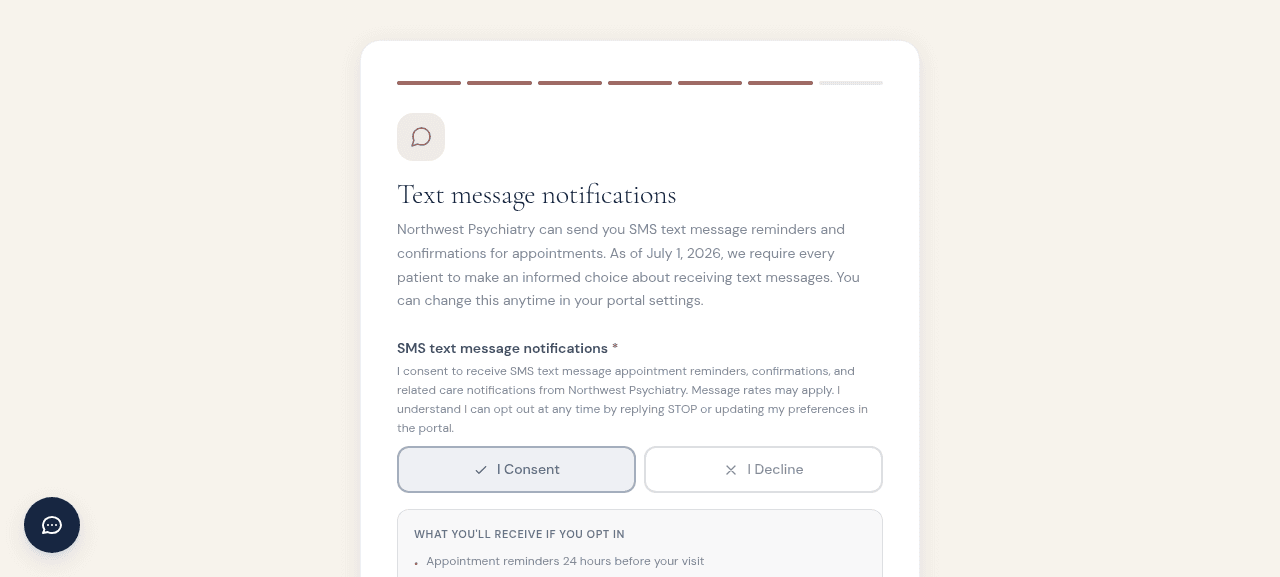
Onboarding Wizard (new patients)
When you create your portal account, the onboarding wizard includes a Text Message Notifications step. Tap I Consent to receive SMS reminders and confirmations.
This is the default digital consent path for new patients and is recorded automatically in your account.
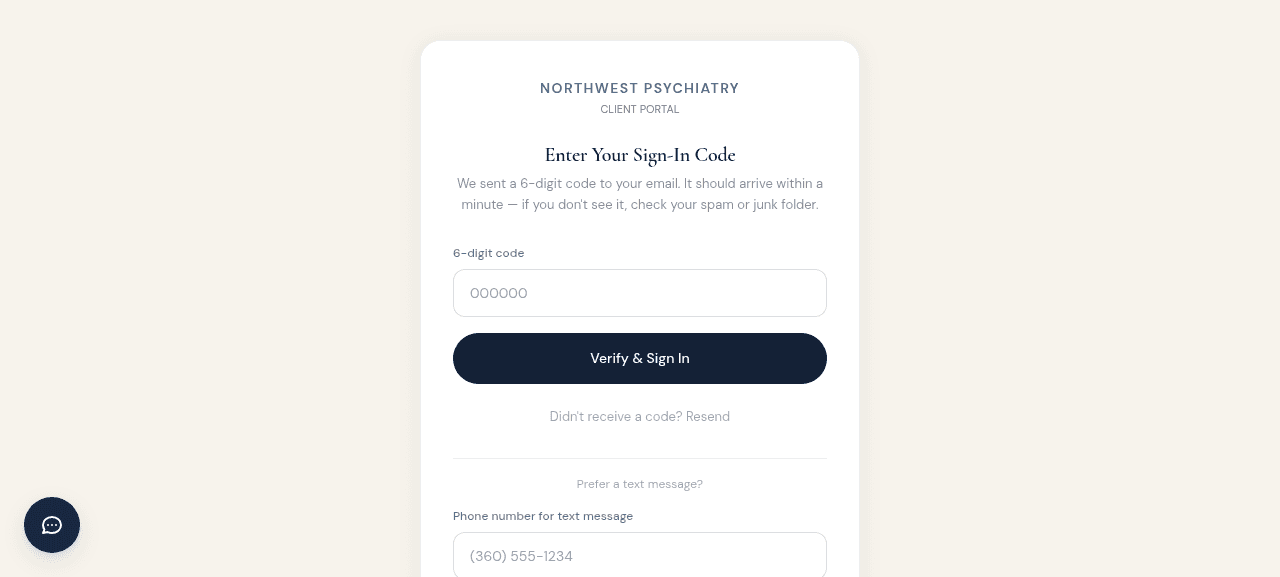
OTP Sign-In (login code via text)
If you prefer to receive your one-time portal sign-in code by text message, click Prefer a text message? on the code-entry screen, enter your mobile number, and tap Send code via text. Using SMS for login codes does not opt you in to appointment reminders automatically — you still need to enable those separately in portal settings.
Verbal or written consent (during a visit)
You can also give consent verbally during an appointment or by signing a written consent form. Your provider will record the consent method and date in your account. You may opt out anytime by replying STOP or updating your portal settings.
Need help?
If you are not sure whether you are opted in, or if you have questions about message frequency, rates, or opt-out instructions, please review our Terms & Conditions (SMS) or contact the office directly.